

Office Keyboard
The Office Keyboard manufacture!
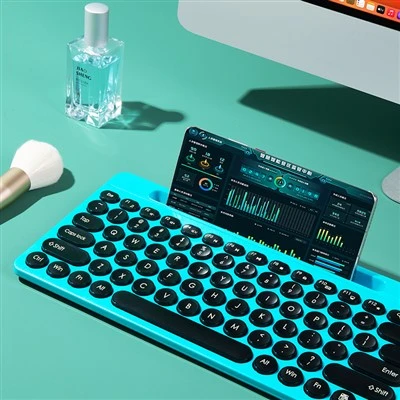
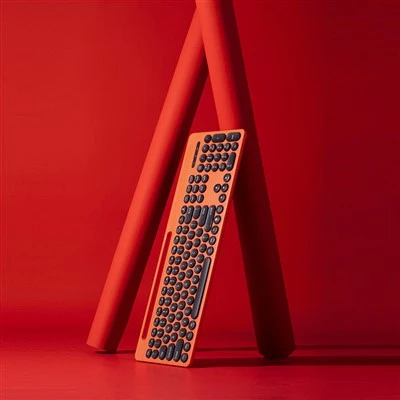
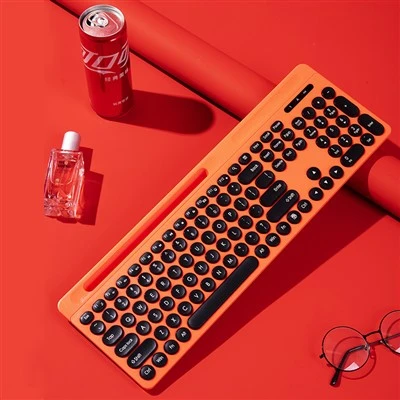
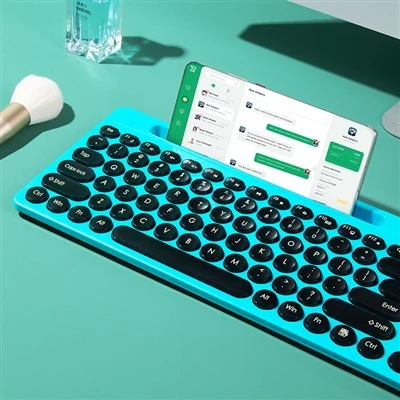
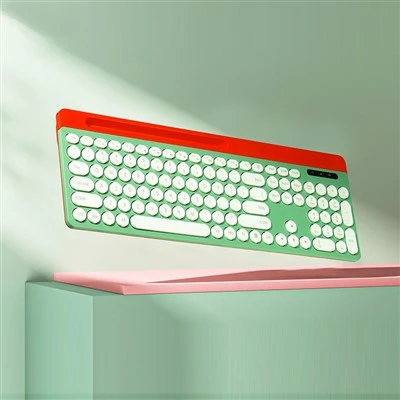
Dongguan Huirun Plastic Hardware Products Co., Ltd Our main products include office, home, desktop, laptop, tablet, etc.







Why choose us
Professional Team
With 50 employees, 4 technical personnel, 4 quality personnel, and about 30 sets of various equipment.
Our Certificate
ISO9000
Production Equipment
We have 8 injection molding machines, 3 laser engraving machines, 1 color difference meter, 1 optical tester, CNC6 machine, 2 ultrasonic machines, 2 spark machines, 1 milling machine, 1 grinding machine, 1 lathe, and a batch of other peripheral supporting equipment.
Types of Office Keyboards
|
Keyboard Type |
Connectivity |
Key Mechanism |
Power Source |
Best For |
|
QWERTY Keyboard |
Varies (Can be wired or wireless) |
Varies (Can be membrane or mechanical) |
Varies |
Everyday typing in English |
|
Membrane Keyboard |
Varies (Can be wired or wireless) |
Pressure pads |
Varies |
Quiet environments, budget users |
|
Mechanical Keyboard |
Varies (Can be wired or wireless) |
Individual switches |
Varies |
Heavy typists, gamers |
|
Wired Keyboard (USB/PS2) |
Wired (USB or PS2) |
Varies (Can be membrane or mechanical) |
Direct from computer |
Users needing reliability, zero latency, or with older computers |
|
Wireless Keyboard |
Wireless (Bluetooth or radio receiver) |
Varies (Can be membrane or mechanical) |
Batteries or charging |
Users desiring flexibility and less clutter |
Advantages of Office Keyboard




1. Comfort and Ergonomics
The visual ergonomics of a keyboard is a major factor of consideration, especially if the operation involves a lot of typing. The Office Keyboard enhances the layout of the key so that when typing, it does not cause strain in your wrists and fingers, preventing fatigue.
2. Durability and Build Quality
Durability is another factor you should consider when choosing a keyboard. Keyceo's keyboards are made using some of the finest materials to ensure they can handle regular wear and tear. To illustrate,Office Keyboard only requires one million keystrokes to test and prove the durability it has in store for you. Not only does a sturdy keyboard show more durability, but it also works as expected throughout the period.
3. Functional Shortcut Keys
Businesses should be most efficient, particularly in working environments such as offices. Office Keyboard has ergonomic shortcut keys for volume control, screen lock, and brightness adjustment, among other features. All these shortcuts reduce time and how you work, making all-day work easier.
4. Lockable WIN Key
The irritation of having the wrong picture displayed on the screen and the unfortunate pressing of the WIN key can greatly affect your work. Concerning this, Keyceo has a WIN key lock that ensures the device is protected from unintended interference, increasing productivity. This thoughtful addition is especially helpful to users much into typing or gaming.
5. Low Noise Operation
In an open working space, noise from the keyboard keys becomes a nuisance. The Office Keyboard is especially quiet, with sound coming at a noise level of as low as 30DB, which is lower than most normal keyboards on the market. It also creates a free working environment; hence, one can work from home or in an office.
6. Anti-Splash Design
Slips and fall accidents are a regular phenomenon in almost any workplace environment. Of course, the Office Keyboard does not cover liquids, but it does have an anti-splash design. This feature is very important in preserving your keyboard's long life, particularly when taking meals at the computer desk, which frequently involves taking drinks.
7. Compatibility and Connectivity
The Office Keyboard has wired and wireless connectivity features to suit as many users as possible. The construction of these keyboards is such that they are suitable for wired connections when stability is preferable or wireless when convenience is the key – they can work with Windows and Mac OS. This flexibility guarantees that you can easily incorporate the keyboard into your current technology associate.
Key Components of Computer Keyboard
Alphanumeric Keys: The fundamental keys used to enter text, representing letters and numbers.
Function Keys (F1–F12): Keys in the top row that perform a variety of tasks, frequently acting as shortcuts for commands or particular tasks.
Modifier keys (Shift, Ctrl, Alt): These keys increase command choices by changing how other keys behave when tapped in combination.
Numeric Keypad: An additional set of keys for entering numbers that resembles a calculator and is usually located on the right.
Special keys: Keys have particular purposes for navigation, text editing, and system control (Enter, Backspace, Tab).
Arrow keys (Up, Down, Left, Right): Make navigating documents, menus, and interfaces easier.
Escape key (Esc): It is used to reverse a command and go back in time.
Keyboard Size
The most common and probably the keyboard you and I are currently using. And just because it is common doesn't mean there is no better option than this. The size and feel are familiar, but many people settle for better options because the full size is too bigger or inaccurate for fast typing response. 100-keyboards have completely laid out function keys, arrow keys, navigation, and Numpad, as well as identify keys. This type of keyboard is useful for people who need the use of all types of keys, including alphabets and numbers.
Also known as 80%, the TKL keyboard is the Tenkeyless keyboard. This one is a default option for gamers and people who don't have much to do with numbers. Just without the Numpad, the TKL keyboard is a full-sized keyboard with 88 keys. The separated allow cluster allows navigation, and getting used to this layout is pretty straightforward.
A 75-keyboard layout is just a version ahead of the TKL keyboard with several keys minus 4 and eliminating the 2 navigation and pause keys. The row cluster is changed to be next to the CTRL key, and this computer keyboard size looks compact and feels compact, with keys being closer to each other. However, the functions are not compromised compared to the TKL keyboard, so you can pick the 75 keyboards if you are searching for a more compact shape.
The 60-keyboard layout is a column lesser in width as compared to the 65-keyboard layout. This keyboard does not have arrow keys, numpad, navigation keys and not even the function row.
Streamers have popularized the 60-keyboard layout. Given that this was the first tiny keyboard, 60 percent keyboard layouts are rather prevalent. Get a 60% keyboard if you're more interested in the neat appearance or space-saving features of the small design. If you frequently use the F or arrow keys, I recommend skipping the 60%.
The 50% arrangement is highly distinctive and uncommon, entering the realm of bespoke keyboards. The 50% layout is essentially the same width or broader than the 60% layout; however, in addition to losing the number row and function row, as well as the Numpad, navigation keys, and arrows, it also adds a macro column to the left of the keyboard.
Our factory
Huirun Company was established in 2006 and is located in Dongguan City, Guangdong Province, China, with developed industries. The factory is based on physical manufacturing and has a service system that integrates research and development, design, production, and sales.

FAQ
As one of the most professional office keyboard manufacturers in China, we're featured by quality products and good service. Please rest assured to wholesale bulk discount office keyboard from our factory. Also, cheap products are available.
USB TEPY C Wireless Keyboard, Black And White Office Keyboard, The Best USB Keyboard